Apowersoft promo codes and deals
-
60% OffWorked Nov 11, 2026
60% Off Apowersoft Yearly and Lifetime Plans
-
50% OffWorked Nov 20, 2026
50% Off Apowersoft Monthly, Yearly and Lifetime Plans
-
50% OffWorked Nov 19, 2026
Half Off Apowersoft Yearly and Lifetime Licences
-
DealBundle Deal
Every Apowersoft App in One Unlimited Plan
Where to Enter an Apowersoft Coupon Code
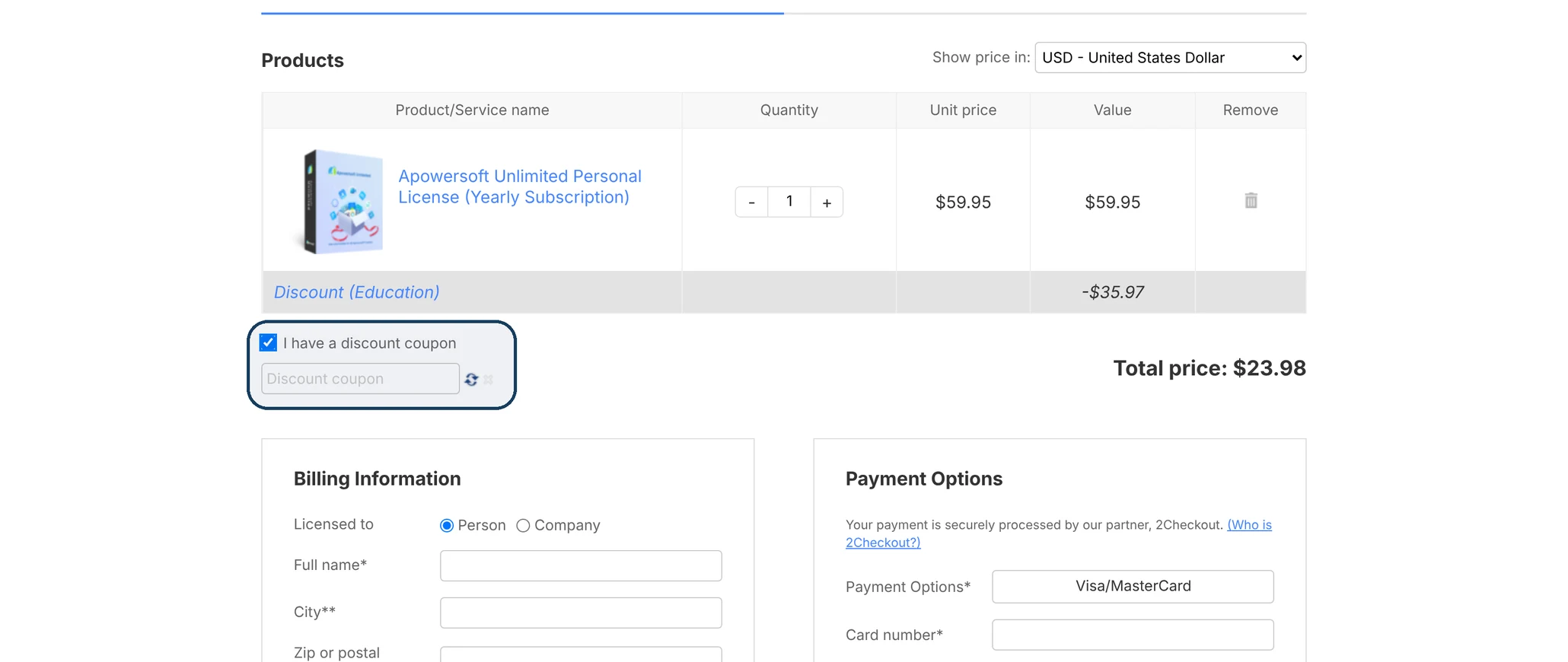
Tick the box and the coupon field opens below it. To apply your code, click the small refresh icon beside the field. When the checkout won’t take a code, it empties the field and outlines it in red without showing any message, so a blank red box means that code didn’t go through.
Apowersoft coupon code test results
This is how the codes on this page did when we tried them at Apowersoft's checkout.
50% Off Apowersoft Monthly, Yearly and Lifetime Plans
Our total went from $599.00 to $299.50 with the code.
Checkout proof
Checkout proof
Apowersoft Unlimited or a Single App
A year of Apowersoft Unlimited costs less than a year each of ApowerREC and ApowerMirror bought separately, and it puts every other Apowersoft app in the same VIP account too. Each app has a Free Trial button beside it on Apowersoft’s store page, so you can try a second app before you decide Unlimited is worth it.
Unlimited’s lifetime licence costs almost exactly ten times its yearly price. Every Apowersoft discount code that worked for us came off Unlimited, on the yearly plan and the lifetime licence, and each took the same percentage off both. The codes that came off ApowerREC and ApowerMirror did the same on those apps, so using a code doesn’t change how yearly and lifetime compare.
Apowersoft Refunds and Licences for More Than One PC or User
Refunds
Apowersoft gives you 30 days to request your money back, or 7 days on a monthly plan. Buying the wrong Apowersoft app is one of the reasons its policy approves a refund.
One account, several PCs
Apowersoft lets you sign in to your VIP account on several PCs, though not at the same time, so one licence covers a desktop and a laptop you don’t use together. ApowerRecover is the exception: it’s activated with a licence code on one computer only.
Buying for a school or office
For site, multi-user and volume licences, Apowersoft asks you to contact its support team. ApowerMirror’s order page also sells a Business lifetime licence for teams, and the price per user is lower for a large team than for a single PC. Education pricing comes through a request form on Apowersoft’s site, sent with documentation showing your school affiliation.
Frequently Asked Questions About Apowersoft
What happens if I enter a second coupon after one is already applied?
The second code takes the place of the first. Apowersoft’s checkout keeps one coupon per order, so if you’re comparing two codes, the last one you apply is the one you pay with.
Where do I turn off auto-renewal at Apowersoft’s checkout?
Under Payment Options, where “Enable auto-renewal for this order” comes already ticked on subscription plans. Untick it before you pay if you don’t want the plan to renew on its own.
Will my coupon work on an Apowersoft Business licence?
The codes that came off ApowerREC’s Personal licence came off its Business licence too, which the checkout calls “Commercial License.” They took the same percentage off on the yearly plan and the lifetime licence.
If I raise the quantity at checkout, do codes cover every licence?
They do. With two ApowerREC licences in the cart, the codes took the same percentage off both.
Do Apowersoft coupons still work if I pay in another currency?
Codes still came off after we changed the checkout’s “Show price in” setting to euros.