AVS4You promo codes and deals
-
20% OffWorked Nov 21, 2026 Editor's Pick
20% Off Any AVS4YOU Subscription
-
70% Off
Up to 70% Off AVS4YOU Subscriptions
Where to Enter an AVS4YOU Coupon Code
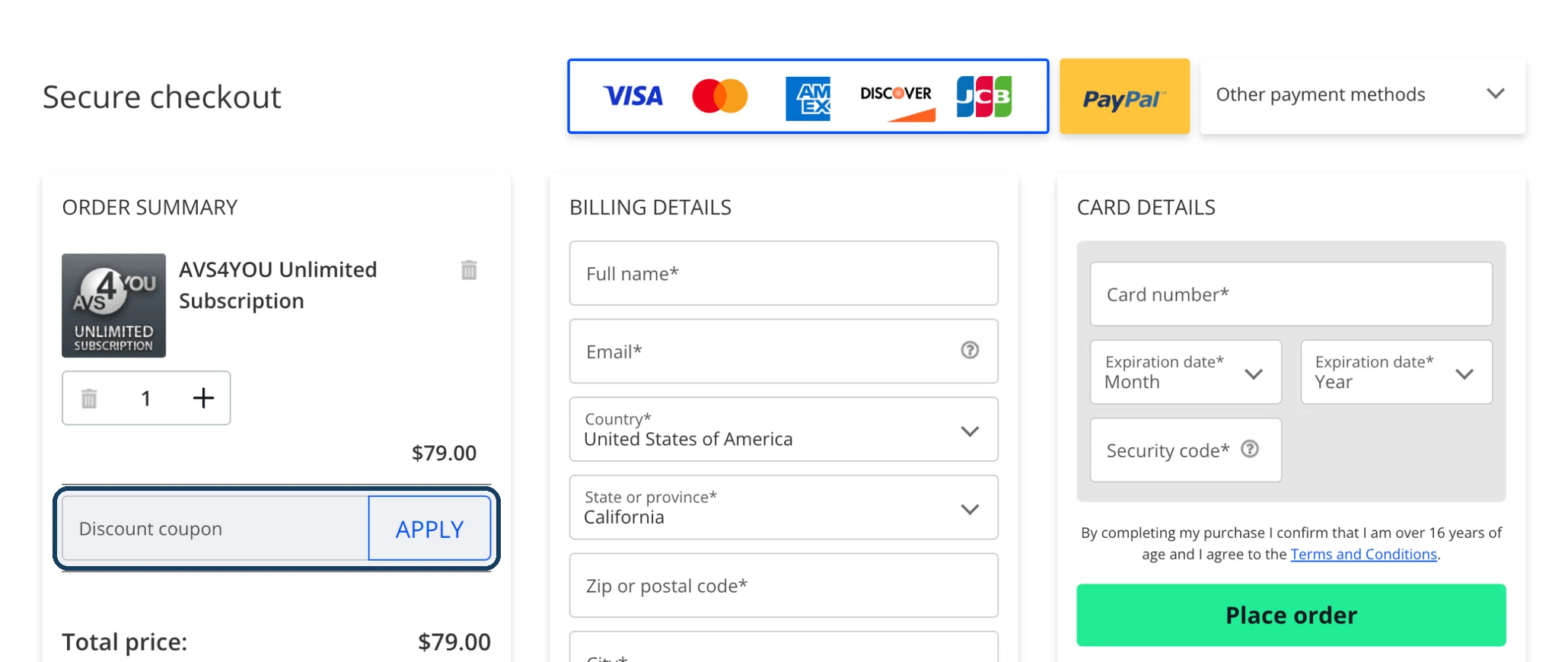
On the 1-year subscription, an “Upgrade now!” window opens over the checkout before you can reach the coupon link. Choose “No, continue with my original order” and you’ll find the link right under the Auto-Renewal line. The green “Yes, replace product” button swaps your order to Unlimited, and the cart it opens has no coupon field at all. If you want Unlimited with a code, start from the Unlimited “Buy now” button on the buy page.
AVS4You coupon code test results
This is how the codes on this page did when we tried them at AVS4You's checkout.
20% Off Any AVS4YOU Subscription
Checkout proof
Checkout proof
AVS4YOU Unlimited vs the 1-Year Subscription
If you’ll still be using the programs a year from now, Unlimited is the cheaper plan. It’s one payment with no renewal and free program upgrades, though it costs more up front than the 1-year plan’s first year. The 1-year plan renews every year, and after one renewal you’ll have paid more than Unlimited at the prices the checkout charges. Every renewal after that adds to the difference.
If you only want the one year, switch off auto-renewal before you pay. It’s already on for the 1-year subscription, and the Edit link next to “Auto-Renewal: ON” lets you set it to No. When that year runs out, the programs become unregistered and add a watermark to output files.
Covering More Than One PC
Each computer needs its own subscription, since a license key activates the software on one machine and doesn’t move to a new one. There’s no lower price for a second copy, but a code’s discount comes off both copies.
Refunds
AVS4YOU’s 30-day money-back guarantee covers both plans, on the terms of the store’s refund policy.
Frequently Asked Questions About AVS4You
Can I stack two AVS4YOU coupon codes?
A second code the checkout accepts replaces the first. There’s one Discount coupon field and room for one code per order, and the new code stays even when it takes off less than the one it replaced. If you have two codes, apply the one that takes off more last.
Why did the billing fields light up when I entered my promo code?
Pressing Enter in the coupon field submits the whole checkout form instead of applying the code, so the empty billing fields are marked as required. Type the code and click the APPLY button beside the field instead.
How do I know if an AVS4YOU discount code worked?
A working code adds a green “Discount applied” line above the coupon field, and the total shows the old price struck through next to the new one. A code the checkout turns down leaves the field outlined in red with a small cross icon and no message. Any discount you already had stays in your total, and the field remains open so you can type another code straight away.
Can I use a coupon code on AVS Video Editor?
Yes, when you buy it as part of the AVS4YOU suite. The Buy now button on AVS Video Editor’s own page goes to the AVS4YOU buy page, where the editor comes with four other programs in both subscription plans, and the code goes in the Discount coupon field at that checkout. The standalone lifetime AVS Video Editor license has no coupon field in its checkout.